Tuesday, May 14, 2019

Super Mario Bros NES Unused Game Over Variation Plays Everywhere Game Genie Code!

Today we're going to dunk for the coins.. the gold coins! Because it is time for another interesting Super Mario Bros. exploration writeup!

The music is one of the most memorable videogame soundtracks and for good reason. However, most of us are unaware that a variation of the game over theme, even as most of we threw our controllers at the tv in frustration when losing our last life to fire Bowser's hammers at the last world so either we either have repressed memories of the jingle or were so angry screaming at the game enough to notice. But, I digress-it is still just as memorable as the game itself.

 After wanting to do this for a very long time, I finally got around to looking into this unused variation of the Game Over theme in Super Mario Bros that Kode54 originally found years prior when ripping the NSF. Turns out it is really interesting and surprising that the instrument definitions were left intact by Nintendo when they developed the game because the game was programmed so tightly and compact in order to fit it onto the ROM chip.


Original posting:

Super Mario Bros. (W) [!].nes (covers all versions and revisions) Play unused Game Over variation everywhere (originally found by @Kode54 in the NSF rip track 12 but converted to work on hardware by nensondubois) 
ZPSNALAA
PZSYYUOX
If you modify 12 to a different value you can play any song in the game, some of which are invalid data being read off as actual song data (missing, invalid events, wrong channel pointers and segments, and or looping information.) The unused Game Over theme is a complete song information for this unused variation.

The unused variation is present in all variations of the game and the code may need to be ported to each version, mostly multicart releases. The codes were tested on the standalone worldwide release but should work with most releases of the game.

Rare Zelda Gamecube Japanese Collection

Presenting with you today is another special and rare game! More importantly, the main differences between the international versions of the Zelda Collection is that the Japanese version contains different main menu music, Majora's Mask emulation has more crashes and bugs. The Japanese version also contains the "disksys.bin", funnier how it is possible to eject and cause FDS errors so you could see Mario and Luigi chasing each other in the void of Space.


Originally posted on Twitter:
The second main issue is that FDS audio is completely inaccurate (most notable when Link dies in Zelda II). Unfortunately I had to cut short Majora's Mask because the game crashed upon entering the Clock Tower village. Note that my disc is completely scratch-free, no dirt, etc on it so that is an emulation issue on Nintendo's part.
Aside from the flaws, this is a really good collection only having 1,000 produced for Club Nintendo Japan fans. I paid a fortune for my copy and if people want to see more rare games,  please consider donating because it helps also with buying better video equipment. Hope you enjoyed this video. I also found development-related text in the ISO after examining the files. More details on this later.

Ultra Rare Super Smash Bros. Japanese Store Kiosk Demo!

 Today we have something incredibly special and unsightly. This is an extremely rare Gamecube Demo Disc (Dairantou Smash Brothers DX Jitsuen-you Demo (Interactive Multi-Game Demo Disc, November 2001 Japan) that was intended for stores in Japan to display Super Smash Bros. Melee. There are a few bonuses and promotional videos for then upcoming Gamecube software. There is a playable Pikmin demo and two commercials for Pikmin. There are two commercials for Super Smash Bros. Melee, a 32 trophy gallery, a Four stage adventure mode, a basic battle royale which is a free for all smashfest with only original characters and stages though all of the music and models are present on the disc.

My Super Smash Bros Melee store kiosk demo came scratch free (it only has minimal scratches because I wasn't careful when inserting it into the Gamecube during the video. Ugh, this bothers me maybe more than it should.

There are 2 commercials For Melee, Pikmin and demos for both games. A Gamecube promo video as well. Feels so weird playing this in 2018. I remember getting Smash the first day at #Blockbuster for the holidays.


                                                           Part 1: Firing up the disc!


Part 2: Battle Royale


                         Part 3: The actual disk (Part 1 actually shows a clear in-focus picture)


Trivia:
-The commercials were actually shown on Television broadcasts in Japan for both Pikmin and Melee.
-The are noticeable differences between the demo and retail versions of Pikmin.
-All of the Super Smash Bros. Melee songs are on the disc.
-There demo packaging is the same as the Japanese retail version.
-The Demo select menu reuses the US Gamecube October 2001, January 2002 and March 2002 Interactive Mult-Game Demo Disc versions as well as the Dairantuo DX Gold Movie Disk (all of which I also own).


Unfortunately I cannot afford professional video equipment for good quality recording.
Please rate, comment and subscribe for more content! Follow me on Twitter: https://twitter.com/nensondubois_ and support patreon: patreon.com/nensondubois also accepting donations via Google wallet at gameboygallery@yahoo.com.

Improving Games for Better Power Glove Compatibity ~ Super Mario Bros.

Recently I had the idea to make games more compatible with the NES Power Glove, for better or for worse. I was binge watching Gaming Historian videos (You should definitely check out his videos. I rarely watch Youtube in general much these days unfortunately due to time, and when I do, it is almost always a binge-watching session) and I was upset that Novac's games weren't released as Power glove exclusive titles. I soon raised the same point on Twitter soon after with the idea to make games work better using the device. 

 Super Mario Bros. is the first test subject and it works. Well, at least without completely rewriting the physics engine (I could do it but it wouldn't work on hardware without a flashcart due to requiring ore than 3 bytes to change, and who has the time?) So, I came up with a solution to make Mario controllable anywhere using the A button, or if you're using the Power Glove, make a fist and release to drop Mario. Mario's Y position is controlled by the Power Glove's internal setting for each game it is supposedly supporting backwards-compatible control.


Original twitter posts:


Conclusion: The proof-of-concept works but there is a potentially problematic limitation as a direct result of conflicting with the climbing physics routine and you will become stuck when entering a new screen from a vine climbing upwards. Using two byte changes, this is a really a remarkable fleet considering I did it in 8:12 minutes. 

Unfortunately I do not have an NES Power Glove in my posession to do further testing and codes. This is all based on limited experience with how the Power Glove operates and understanding how it interfaces and reacts to physics in theory. A later revision may be a workaround for fixing the climbing issues as well as making Mario's speed controllable.

Monday, May 13, 2019

Nintendo's only official Game Boy Multicart - Mani 4-in-1

          Nintendo is not known for sanctioning, licencing or much less actually developing official multicart releases of their games. Mainly during the lifespan of the Game Boy Advance it was profitable for companies to mostly release NES or Famicom collections including Nintendo and their port of Mother 1 + 2 (Jaleco, Technos infamously "stole" pocketNES and used in their collections, but that is for a different writeup entree altogether). There is one notable earlier exception by Nintendo and it isn't very well known, in fact, I could find almost no information about its existence, development, sales, and distribution is equally elusive just as obtaining one of the cartridges.

To give a brief background, Nintendo had a small, but growing marketshare in Asia outside of Japan during the Game Boy era nd they decided to release a series of multicarts in China. The series is not very interesting except for Mani 4-in-1 that contains four 'classic' launch Game Boy titles: Tetris, Alleway, Yakuman and Tennis. The latter two games aren't the most exciting choice, but it is understandable why Nintendo selected the titles. Yakuman is a port of the classic Asian game Mah-jong. Tennis isn't great but it can provide a few minutes of ball rallying fun (sorry) on short bus trips.

The menu and the Super Game Boy enhancements are probably the most interesting aspect of the cart is the support for basic Super Game Boy functions (which I briefly wrote about on Twitter: https://twitter.com/nensondubois_/status/1127783157007364096 and here https://twitter.com/nensondubois_/status/1127792706233749509) depicting and matching the originally assigned palettes each game displays. Originally the games included would load a default palette accompanying the theme, area and setting of the game in question. The palette is selected based on the internal filename found within the game's header and then matched against the palette stored hash inside the Super Game Boy / 2 bios.

Instead of actually jumping to the game's bank as they later did with the GB Memory NP flash cartridge and resetting the Super Game Boy bios so it loads directly from memory, the developers took a different direction and instead matched the pre-defined palette as an equivalent Super Game Boy enhanced palette stored in the SNES WRAM. Was it lazier than writing a custom routine to jump to the game as mentioned prior? Possibly, but also not really; there is a technical reason why this method was chosen, but it is also contradictory and unrelated to how bankswitching actually works.

The general gist is using extra chips onboard either a cartridge or hardware interface, usually in the form of RAM and ROM to provide extra functions that native hardware was unable to allow. Tasks could include extra caching, additional sound capacities, better graphics (in older videogame systems including the Famicom and Master System, Turbo Grafx 16) and swapping out RAM and ROM and mapping it to original hardware locations gaining the benefit of better visuals, faster processing, and various other proprietary functions.While it is not technically the same as modern computer graphics cards and DDRAM work, the concept is reasonably comparable. Modern computer interchangeable hardware is rapidly increasingly becoming more complex weekly; the general idea is relatively the same.

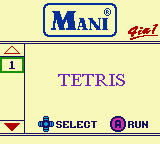
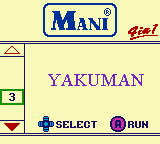
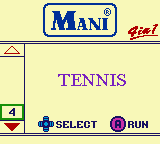
Mostly likely the reason is because the developers were using discrete logic MMMC01 instead of the more complex custom flash setup the GB Memory worked with or utilised because it was cheaper and the games were only 32kb and the games didn't use MMCB3,05 battery backup for SRAM, or other special hardware and memory mapping chips, so the menu handles the jump to the game instead because it was easier and cheaper than designing a more robust system. It was probable that the Mani developers had the knowledge to write a custom routine using the Super Game Boy's DATA_SND and JUMP functions that were present in the GB Memory, but it was unnecessary. Still, it is interesting nonetheless. The game select menu even has two sets of palettes; one for loading and a secondary for when the menu fully transitions to its final area on screen. For reference, here is the main menu selection screen and the game's title screen with the default or enhanced Super Game Boy palettes designed to revolve around the game.

Writing the Mani 4-in-1 to a Game Boy flash cartridge like the GB Memory is also possible if you happen to have a flasher (more on building one yourself coming in a later article) device.

[CODE]
PAL_01
Tetris:015F4F0E639F15263100000000000000
Alleyway:01EF65BF7D5F03082100000000000000 Yakuman:01BC66FF3FE07E842C00000000000000 Tennis:016C2BFF7FD91C070000000000000000
[/CODE]


Finally, here is the game select menu using Super Game Boy Palettes. There are no Game Boy Color palettes.


In conclusion, the games play exactly the same as their retail counterparts  and in case you're wondering, Tetris is 1.1 on the Mani 4-in-1 multicart. You question is most likely "Is it worth the money to track down a working cartridge?" Personally, I would since I am a game collector enthusiast of sorts so I managed to find a copy but for way more of a reasonable price. You mileage may vary.

Sunday, May 12, 2019

Infintie Konami Code Cheat in Tetris!

Widely known for being the world's most addicting puzzle game, and possibly videogame of all time. Tengen's NES which is a borderline rare version features a lesser-known example of the Konami code that is quite useful.
 
Enter the Game Genie code OPXULSSU and while the game is paused enter the Konami code to swap the current tetrimino piece with a longbar! 
 
Normally the game only allows the code to be entered once per game sitting.
 
 
Additionally it is possible to spawn any other Tetrimino which can be either a lifesaver or a detriment to your current game situation. In most cases it will hinder your game and is not very useful to the player.


More unused Wario Ware Inc GBA music Wario Land II Microgames 1-3

Here is a song based off Wario Land II GB / GBC and there are two versions. One version sounds like Game Boy and the second version is a remix. 
There are a few more unused Wario Ware Inc songs but they're lesser interesting and one is a main menu variant.
WarioWare, Inc. - Mega Microgame$!.gba Main menu song set
(083FA4C0) 0x3FA4C0 0B00 to ???? (0804 01, 0904 02 , 0A04 03)

For the ease of sanity I'm going to lump all three into one post.

0804
0904

0A04

Unused Super Mario Bros. NES Theme found in WarioWare, Inc. - Mega Microgame$!.gba!

WarioWare, Inc. - Mega Microgame$! GBA Menu Music Modifier Unused Microgame Music 2 0104 Super Mario Bros Theme.

We're on a roll with Super Mario Bros related content, so today is a step in the same direction. I'm sure many people have spent countless hours city surfing through Wario Ware Inc on their often eye-straining Game Boy Advance screens back when people no longer thought break dancing was cool.

One of the lesser-known interesting things is Wario Ware Inc actually has some music that was never used in-game and the best example of this is a rendition of the Super Mario Bros theme done in the theme of a microgame.

I located the internal song ID, known as a music modifier, where the main menu selects to play it's music using a debugger and it took some effort but it wasn't too difficult for my level of skill to figure out. To play this song, open up a hex editor of choice (mine is hex workshop) and go to the following address and change it to (in this case, 0104)

WarioWare, Inc. - Mega Microgame$!.gba Main menu song set 
(083FA4C0) 0x3FA4C0 0B00 to ????.


This is a weird one. A version of the Super Mario Bros. Theme with whispering, a baby crying and weight lifting samples! :S
Hut-hut-hut-Hii-yyaaaaAAAHHHHH!!!