Showing posts with label Game Boy. Show all posts

Monday, August 31, 2020

World's Rarest Video Games! Play Game Boy on your NES without emulation! Retrovision!


Ever wanted to play Game Boy games on your NES? Well it is possible via Retrousb NES Retrovision. Sorry, no audio so you will have to hear my fan going because copyright and my NES is not modified for expansion / extension audio. I also forgot to setup the headphone jack to output.

A few things to note:

-No emulation, original DMG hardware CPU B so games are 100 per cent accurate. Triple buffering to prevent screen tearing.

-Graphics are converted to NES format and controller is read fro the NES controller and written to the Game Boy joypad I/O registers. 

-Much like the Super Game Boy, palettes can be set although initially. You are limited to 8 sets of 4 palettes using the internal NES 64 palettes limitation. Game Boy graphics are 2-BIT as is the NES, the format is different enough that they still they need to be converted.

-Audio from the Game Boy can be mono mixed and piped through the NES expansion port using the resistor bridge mod and a 10kohm resistor otherwise you will need to use the headphone jack for stereo audio but this is not easily accessible with the original front-loader NES. Instead, you will need to use an angled 3.5 mm to AV Red and White RCA jack-out. You will also require to attach one Game Genie unit and disable the region lockout CIC otherwise the console will sporadically blink and reset. Using two Game Genies is not recommended due to splitting the voltage differential, but it would allow you to use more common headphone out sources as well as the Game Boy EXT serial port for linking to other Game Boys, the Game Boy Printer, etc.

-The ROM is a modified version of the Famicom Wide-Boy.

-Palette selection is done via pressing Up, Down, left or Right buttons on the second player 2 controller.

-Super Game Boy enhancements such as palettes, special borders, SOUND functions, etc do not functions and are not detected because it is running using original Game boy hardware. The NES would not be able to parse that additional code information as it requires SNES hardware to function.

-Game Boy Color extra RAM and palette data will not be detected for the same reasons.

-Also, here are all 4 border configurations; controlled via pressing A, B, Start or Select buttons on the second player 2 controller.

1. DMG NES Retrovision / modified Famicom Wideboy border

2. Black

3. White

4. Extension of palette 1

-Using a Famicom converter and or clone console such as a Dendy it is possible to play Game Boy games on a Famicom console. There may be some limitations depending on the clone console and I've yet to test this on my AV modded Famicom. Videos soon.

Here is my custom palette list:

.db $38,$28,$18,$09 ;GB Kiosk Wideboy palette 1/8

.db $30,$3D,$2D,$1D ;GB MBL Pocket / black and White

.db $2A,$1A,$0B,$0C ;GB DMG Green spinach

.db $37,$27,$16,$03 ;SGB A-1

.db $30,$16,$1A,$1D ;White, Red,Brown, Black (contrasts well with most games; only 8 palettes so I had to make this work right)

.db $1D,$06,$16,$26 ;Virtual Boy

.db $1D,$1C,$28,$30 ;Reverse CGB GBC Game Boy Color Right + B

.db $02,$21,$18,$28 ;Reverse SGB G-1 SolarStriker default; night space lightning works well with many games)

I have left additional pictures and information on my twitter post:

https://twitter.com/nensondubois_/status/1297989261828947971

Wednesday, September 25, 2019

Complete list of games disabling Super Game Boy user palette selection

Several years ago when I was writing articles for a website that is dedicated to unused content in videogames, (well, actually it may have been a year or two before that site existed), I was annoyed by the fact that game developers cheapened out on proper Super Game Boy Support in their games (more on that another time because I actually plan on doing a well-written entry conveying every possible detail) and how many disabled palettes in their games where it was in most cases unacceptable.

Here is a complete list of games and Game Genie codes that will enable palette selection, and in some cases actually disable them as it was unused in the game's listing. Believe it or not, a few games actually use a more useless function that swaps the user's palette settings back to the one the game provides whenever it changes in-game. Amazing, right? Even more useless is that games disable the ability to use border screensavers. What was Nintendo thinking when they were designing the Super Game Boy? My best guess is that it was a rushed project because it is a wholly mess of incomplete functions and unused features, including the OBJ_TRN mode, which I will explain in another entry.

NOTE: You will have to physically modify the bottom of the Game Genie in order to fit it into a Super Game Boy. The Codebreaker is a more permanent option but the code format is different (which I cracked. It was relatively easy https://gamehacking.org/vb/forum/video-game-hacking-and-development/hacker-threads/13028-nensondubois-codes) and it supports several more patch codes and RAM based injections simultaneously.

Games that disable both controller and palettes will not be distinguished, but only game and is a sister set "Tokimeki Memorial Pocket" actually does solely disable the user's ability to set the controller selection. The most probable reason is because it is a quiz game and pressing the wrong button would have hindered progress?

Dai-2-ji Super Robot Taisen G (J)
Enable Palettes When Played Using a Super Game Boy (Title Screen; palettes are re-enabled afterwards.)
000-7BB-E6

Retrieve (J)
001-B0B-E6E

Animaniacs
00F-C18-E6E

Enable Screensavers When Played Using a Super Game Boy
00F-D08-6EF

Beatmania GB
002-80A-E6E

Beatmania II
002-80A-E6E

Bomberman Quest (GBC)
000-F1B-E6E

Fushigi no Dungeon: Fuurai no Shiren GB: Tsukikagemura no Kaibutsu
008-BEB-E6E

Little Indian Big City
003-54D-E66

Lodoss Wars (J) GBC (Lodoss Tou Senki: Eiyuu Kishiden GB)
001-B0B-E6E
Palettes do not swap to software priority when they change
001-A0B-E6E

Masakari Densetsu - Kintarou RPG Hen ()
003-53A-E6E

Mini 4 Boy II - Final Evolution
00E-FCD-E6E

Rock 'n Monster (J)
004-10C-E6E

Tokimeki Memorial Pocket: Culture-hen: Komorebi no Melody (GBC)
00C-4D9-E62

Tokimeki Memorial Pocket: Sport-hen: Komorebi no Melody (GBC)
00C-5C9-E62

Umi no Nushi Tsuri
001-BFB-E6E

Uno 2: Small World
00E-A88-E6E

Wario Land II
00C-21D-E6E
Enable screensavers
00C-31D-E6E

Wario Land II (GBC)
001-0BC-E6E

Trade & Battle Card Hero
006-469-E6E

Dragon Quest Monsters (J) (GBC)
001-C4B-E6E

Dragon Warrior Monsters (GBC)
001-C4B-E6E

Dragon Warrior Monsters V1.16 (GBC)
001-C4B-E6E

Dragon Quest/Warrior Monsters 2 Ruka's Adventure
001-BFA-E6E

Dragon Quest/Warrior Monsters 2 Iru's Adventure
001-BFA-E6E

FIFA '96
003-59A-E6E

Game Boy Gallery (E)
Palettes do not swap to software priority when they change
00B-F6D-C4D

Pocahontas
00C-82C-E66

The Smurfs
00B-718-E6E

Centipede
00A-85C-E6E

Superman
00E-ECD-E66

Madden 96
005-7D2-E66

Mole Mania
001-CBB-E6E (Unused; listed in the game's internal command packet listing)

Quest for Camelot
00F-DEE-E66

NBA Live 96
002-10E-E66

Donkey Kong Land 2
000-9AB-E6E

Donkey Kong Land 3
000-9AB-E6E

Conker's Pocket Tales
000-9AB-E6E

Dragon Quest 1&2
001-B1B-E6

TinTin in Tibet
009-E38-E6E

Kirby's Dream Land 2
Disable palette software priority swapping when they change
71F-E0A-A2B

Spirou
(Unused; listed in the game's internal command packet listing. Palettes were supposed to have been disabled based on the other Infrogrames titles)
01A-A78-E6A

Doraemon no GameBoy de Asobouyo DX10
Disable controller settings (Unused; listed in the game's internal command packet listing)
6E9-3EA-192


Crayon Shin-chan: Ora no Gokigen Collection
Palette software priority (Unused; listed in the game's internal command packet listing)
13A-E68-E62

Crayon Shin-chan 4: Ora no Itazura Daihenshin
Palette software priority (Unused; listed in the game's internal command packet listing)
646-0EB-F7B

There are a handful of other games that disable palettes and contain unused enable / disable commands in their internal command packet listings, this is the bulk of the games spanning both GB and GBC. I will add the rest once I find them in my notes from several years ago, if not then I will recreate them to complete the listing.

Wednesday, May 15, 2019

Get ready for an all-time low-flying adventure! Unused Superman Theme Song from the movie found in a videogame!

Brace yourself and prepare to for a rough landing! Try not to hit a tree... or a parked car while playing this game.

The Game Boy and N64 versions of Superman is based off the well-known franchise. I think the game developers were hit in the head with a chunk of kryptonite by someone before they designed the games.
MAAAANY people are familiar with the universally famous original Superman theme song, but not many are well-versed with the fact that the Game Boy game actually has a fully composed version inside the game's code.
Original post:
Title screen music modifier unused Superman Theme
0CA-1AF-D52


 Elmar Krieger arranged this version and I don't know why he didn't use it as the title screen since it would have been a better fit. My guess is that this was intended for an ending but the game does not have a proper ending and instead shows a generic "Congratulations! message with the stage clear theme playing.Why was this not used? The world may never know, and you can't spin the world in reverse to turn back time and find out.
The surprise does not end here! There is additionally an unused jingle.
Title screen music modifier unused Superman Theme
0BA-1AF-D52


Editor's note: I have no plans to review this game because we all know how notoriously awfulness all of the Superman and Titus games. The only worthwhile portion of the games (at least by Elmar Krieger) are the music and the Super Game Boy borders; the other game is The Quest for Camelot with a border.

Tuesday, May 14, 2019

Shades of blue and a hidden, broken pixel that can be fixed in Soukoban Densetsu - Hikari to Yami no Kun

Let's push some boxes... err words around because it's time for another entry!
Soukoban in case you're unfamiliar, is a classic game where you walk behind boxes and shove them around a mostly enclosed area or a maze while avoiding the prospect of being trapped into unsolvable puzzles or situations forcing you to restart the area from the start.
The game was ported to numerous consoles including two Japanese versions for both the Japanese Super Nintendo / Famicom Sega Genesis / MegaDrive, and even made its way into Deadly Premonition (hahaha we will get to this game eventually!) as a sidequest for unlocking higher tier items in the general store.
First, let's start off with exploring a few unused graphical assets in this game for the sake of some box madness (ok, I should probably stop now.)
First is an unused palette for the Super Game Boy that matches the border palette. Normally it is a variation of black and white contrasts but the game's developers programmed a blue-red brownish setting but decided against using it in the game most likely because they felt it didn't show off the user's border palette creation properties as well as it was intended. This is the only game that offers a border that is centered around using system palette 0 allowing the user to set up the border to display a palette of their choosing. I guess they chose a black and white palette for the final because it makes your custom palettes stand out and they wanted focus on that feature? They could have given the option to switch between the two but that was probably more work than the developers wanted to invest, or it just wasn't a consideration at all.
Unfortunately there are a few issues with using the system palette 0 for this feature and the most notable issue is a developer oversight which I will explain and showcase later.
Load unused Super Game Boy palette
111-31B-6EE
001-3BB-6EA
Here's the lost matching border palette. There's also an oddly matching overlay appearing to fit anywhere. There is also a variation which removes the lowermost 8x8 tilemapping.


Overlaying the game screen with black attributes was not an appropriate choice for this game because the game has too varying a set of levels that would require a lot of time to compensate per puzzle and lots of space in the game's read only memory which was a premium at no less than 1mb for Game Boy Color games. Most interesting is the fact that the game's developers left in remnants from the SDK or library they using. I also found this in numerous other games including the mostly poorly ported Game Boy version Tetris Attack (it has some good music) and B-Daman Fighting Phoenix, a crossover of Bomberman and B-Daman. As you can see, the overlay looks as if it were made to show off either a platforming game or an ourside area where it is viewed from a bird's eye angle.
All that is currently known about the understanding of the SDK from my research is that it is totally unclear where the SDK originated; whether it was developed in house by Nintendo or by a different company altogether during the development of the Super Game Boy to showcase it's enhanced features such as but not limited to a library of built-in sound effects, custom music, and the ill-fated unfinished OBJ_TRN mode which would display 'scrollable' SNES objects on the screen in either 8x8 or 16x16 form overriding the static palette limitations. It is a very early SDK most likely developed in tandem with the Super Game Boy at the time, based on the fact that it has the OBJ_TRN command as C1, which in the final build of the Super Game Boy ends in a ret or return to subroutine so it wasn't implemented, but could still be accessed. I will write about the unfinished display mode at another time. 
 There are other hints that it was an official SDK designed to promote the Super Game Boy such as the "Nintendo" Super Game Boy 'SOUND' listing in the table as well as a default setting for the SNES NMI JUMP and DATA_SND definitions to perform various tasks the user could incorporate into their games on the SNES side allowing better graphics, sounds, music and a more robust interactive multiplayer mode.

The SDK appears in several games in varying revisions to suit the developer's project needs over time. It appears in a wide range of third party company developed games to name a few: Konami and Hudson.


Loads unused palette without modifying ATTR_BLK attributes (attributes black), sets a screen area overlay within specified dimensions.
001-3BB-6EA
What were they testing? This obviously looks like it could have been reserved for the title screen, story captions and cutscenes? There is also a variation which removes the lowermost 8x8 tilemapping.
Lastly, a developer oversight caused a single 8x8 pixel of the border to display an incorrect tilemapping. This renders the whole idea of allowing users to design the custom palette of the game's border. What a shame. Well, sure enough I took the liberty of fixing this issue in a matter of minutes. I fail to see how an important miniscule feature was hindered by a nefarious oversight.


Original post:
 https://twitter.com/nensondubois_/status/891869088988975105

Took 4 minutes. To fix the border, modify 0x01086D to 00 from 0C or via Game Genie code 008-6DB-D5A. The first skull is the only one that fully matches with your custom palette. So, maybe the border's ability to adapt with the player's palette was an afterthought? The skulls actually have an attribute to match the user's palette but it was never implemented.
I also made three more videos but they're lesser interesting as an afterthought. People really seem to love afterthoughts.


Monday, May 13, 2019

Nintendo's only official Game Boy Multicart - Mani 4-in-1

          Nintendo is not known for sanctioning, licencing or much less actually developing official multicart releases of their games. Mainly during the lifespan of the Game Boy Advance it was profitable for companies to mostly release NES or Famicom collections including Nintendo and their port of Mother 1 + 2 (Jaleco, Technos infamously "stole" pocketNES and used in their collections, but that is for a different writeup entree altogether). There is one notable earlier exception by Nintendo and it isn't very well known, in fact, I could find almost no information about its existence, development, sales, and distribution is equally elusive just as obtaining one of the cartridges.

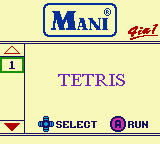
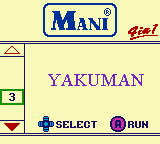
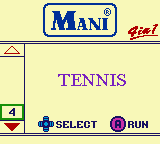
To give a brief background, Nintendo had a small, but growing marketshare in Asia outside of Japan during the Game Boy era nd they decided to release a series of multicarts in China. The series is not very interesting except for Mani 4-in-1 that contains four 'classic' launch Game Boy titles: Tetris, Alleway, Yakuman and Tennis. The latter two games aren't the most exciting choice, but it is understandable why Nintendo selected the titles. Yakuman is a port of the classic Asian game Mah-jong. Tennis isn't great but it can provide a few minutes of ball rallying fun (sorry) on short bus trips.

The menu and the Super Game Boy enhancements are probably the most interesting aspect of the cart is the support for basic Super Game Boy functions (which I briefly wrote about on Twitter: https://twitter.com/nensondubois_/status/1127783157007364096 and here https://twitter.com/nensondubois_/status/1127792706233749509) depicting and matching the originally assigned palettes each game displays. Originally the games included would load a default palette accompanying the theme, area and setting of the game in question. The palette is selected based on the internal filename found within the game's header and then matched against the palette stored hash inside the Super Game Boy / 2 bios.

Instead of actually jumping to the game's bank as they later did with the GB Memory NP flash cartridge and resetting the Super Game Boy bios so it loads directly from memory, the developers took a different direction and instead matched the pre-defined palette as an equivalent Super Game Boy enhanced palette stored in the SNES WRAM. Was it lazier than writing a custom routine to jump to the game as mentioned prior? Possibly, but also not really; there is a technical reason why this method was chosen, but it is also contradictory and unrelated to how bankswitching actually works.

The general gist is using extra chips onboard either a cartridge or hardware interface, usually in the form of RAM and ROM to provide extra functions that native hardware was unable to allow. Tasks could include extra caching, additional sound capacities, better graphics (in older videogame systems including the Famicom and Master System, Turbo Grafx 16) and swapping out RAM and ROM and mapping it to original hardware locations gaining the benefit of better visuals, faster processing, and various other proprietary functions.While it is not technically the same as modern computer graphics cards and DDRAM work, the concept is reasonably comparable. Modern computer interchangeable hardware is rapidly increasingly becoming more complex weekly; the general idea is relatively the same.

Mostly likely the reason is because the developers were using discrete logic MMMC01 instead of the more complex custom flash setup the GB Memory worked with or utilised because it was cheaper and the games were only 32kb and the games didn't use MMCB3,05 battery backup for SRAM, or other special hardware and memory mapping chips, so the menu handles the jump to the game instead because it was easier and cheaper than designing a more robust system. It was probable that the Mani developers had the knowledge to write a custom routine using the Super Game Boy's DATA_SND and JUMP functions that were present in the GB Memory, but it was unnecessary. Still, it is interesting nonetheless. The game select menu even has two sets of palettes; one for loading and a secondary for when the menu fully transitions to its final area on screen. For reference, here is the main menu selection screen and the game's title screen with the default or enhanced Super Game Boy palettes designed to revolve around the game.

Writing the Mani 4-in-1 to a Game Boy flash cartridge like the GB Memory is also possible if you happen to have a flasher (more on building one yourself coming in a later article) device.

[CODE]
PAL_01
Tetris:015F4F0E639F15263100000000000000
Alleyway:01EF65BF7D5F03082100000000000000 Yakuman:01BC66FF3FE07E842C00000000000000 Tennis:016C2BFF7FD91C070000000000000000
[/CODE]


Finally, here is the game select menu using Super Game Boy Palettes. There are no Game Boy Color palettes.


In conclusion, the games play exactly the same as their retail counterparts  and in case you're wondering, Tetris is 1.1 on the Mani 4-in-1 multicart. You question is most likely "Is it worth the money to track down a working cartridge?" Personally, I would since I am a game collector enthusiast of sorts so I managed to find a copy but for way more of a reasonable price. You mileage may vary.