Showing posts with label Nintendo. Show all posts

Wednesday, May 29, 2019

World's Rarest Games ~ Official Super Mario Bros 2 Lost Levels Variant ~ Blue Skies

Today is a great day to go outside and look at the blue skies or maybe not. Why not play Super Mario Bros 2 on an AV modded Famicom and Disk System? Let's break out some fun time!

Famicom Disk System games are notoriously common and usually are yellow. Several most popular Nintendo franchises started on the system including The Legend of Zelda, Metroid, and Kid Icarus. A handful of blue disks were released with metal shutters offering minor protection from spilled coffee and other hazards.

The Famicom Disk Writer was a kiosk that Nintendo set up in Japanese stores allowing customers to rewrite their disks at a fraction of the price than standard retail complete games. Usually a sticker was provided and slapped over the old game. Other offerings included an option flyer printout of the game's instructions which were very simplistic paper. Blue disks were not allowed and even prevented from being written by the kiosks itself as the shutters were a physical lockout mechanism. It is unclear why Nintendo disallowed store owners from rewriting the blue disks, but I'm sure a few slipped by the detectors, as I've seen a less than ten blue disks (Vink on Famicom World had a blue Kid Icarus disk in his store!).

Keep in mind that piracy was rampant and is one of the shortfalls of the console itself. From examining the rest of the blue disk games I own, the build quality seems like a legitimate disk. I could be wrong and that's entirely possible making this post a balls-grade curiosity at best.

Nintendo knew that people who resided out in the country were unable to access stores due to their locale but Nintendo cared and provided a service of mailing in their old disks and Nintendo mailed them back to their owners for a small fee. I guess it is possible that Nintendo relaxed their policy of not accepting blue disks over time and it was very late in the service's era (it ended in 2003!) but I do not believe this was the case as there are almost no blue disks with other games written to them from what I was able to research.

However, as I mentioned prior, a few blue disks slipped into the mix and eventually made their way into a Japanese retro gaming store that sold me my copy of a blue Super Mario Bros 2! Galaxian was also an unusual surprise on the flip side. Both games function flawlessly and the labels are not indented by way of fingernail handling or beavers nibbling at it. Unfortunately I do not know what game was overwritten and I am not peeling back the labels because that would inevitably, irreversibly lead to damage for such an exceedingly rare item that probably only exist in the margin of eight or less.


Goomba stomping sound effects (for good measure I'll toss in a coin or two!)


Aim! Steady! Fire! B-2-You sunk my spaceship!


An array of fighters have set their marks and this is your last chance to captivate them by surprise!


Famicom disks will eventually demagnetise or infest with mold over time, rendering them a cooler coaster than your old AOL CDs; especially prone to the latter if they are improperly stored. A cool, dry plastic bin sealed away from bugs, dust and other elements is ideal. Famicom Wiorld user retrospectives offered various personal experiences with Famicom Disk Writer kiosks and store clerks who rewrote his disk, and he is even an original contest winner for a gold punchout!

indicates that the best way to prevent your loss of games is to store them in a cool, dry area preferable sealed. The Famicom Disk System belt is poses a whole host of issues. Luckily I had my belt expertly installed so it should last a few more years of without stopping Dead Zone in it's tracks. Actually, since I own an FDSStick it should last way longer and I'm not limited to my game selection.

Friday, May 17, 2019

Continuing ~ Super Mario Bros. World Class Track Meet Duck Hunt - Unused Mario 2 Lost Levels Tiles Graphics

Time for another Super Mario Bros. article where we take a look at Super Mario Bros. 2 assets that remain inside of the menu programming of the one of the most videogame cartridges ubiquitous. Seriously, everybody and their dog owned a copy. I still do along with the manual. It never came with an official box as it was bundled with the Action Set NES.


For aesthetic mental reference: The controller (left), NES (middle), cartridge (right)


Surprisingly Nintendo for some reason used the Japanese true Super Mario Bros. 2 and character tilemapping to form the basis of the menu; graphic tileset and relative assets. I guess they were porting the Famicom Disk System file system when writing the menu because it may have been quicker or it was just on their workstation at the time? Maybe they did this on purpose just to see if someone would undoubtably notice over time? I really don't know and we will probably never quite know exactly why this even exists on the cartridge at all.
What you are about to see may burn your eyes because it may look like a garbled mess, but actually it is clearly (well maybe not so clearly.) the graphics from Super Mario Bros. 2. The palettes are based on which game is selected in the menu so it is the most visually pleasing to look at the Super Mario Bros highlighted section for better visual analysis.


Long and behold the detail!


Title screen graphics of Super Mario Bros 2 for reference.


Here is the original information I found.
[CODE]
Super Mario Bros. + Duck Hunt + World Class Track Meet (U) (PRG0) [!].nes
Replace Super Mario Bros tiles with unused Super Mario Bros. 2 Lost levels tiles
IEXTGAZE
XEVTAZAV
ZPETALZA
Display unused Super Mario Bros. 2 Lost levels tiles at game select menu (I actually made this interesting discovery about a week ago. All of the CHR from the Lost Levels / Super Mario Bros. 2 is actually inside the Super Mario Bros. + Duck Hunt + World Class Track Meet game select bank! There are also unused tiles in Super Mario Bros. 2! https://twitter.com/nensondubois_/status/924508098907267072)
YPSTLGPA

Fixes Duck Hunt selection palette to match Super Mario Bros. / 2
TLXVYZPZ
YPUTAZTZ
YAUTPZIZ

Fixes World Class Track Meet selection palette to match Super Mario Bros. / 2
TLUTLZYL
YPUTGXZZ
YAUTIZPZ

Replaces Duck Hunt 'upper-left brick' tile with unused Super Mario Bros. 2 tile. The table starts is located at 0x01E556-1E8CA beginning with Super Mario Bros and ending with World Class Track Meet.
E665:??:AD

Replaces Duck Hunt 'upper-left brick' tile with unused Super Mario Bros. 2 star tile (there are other unused tiles but this is just an example)
OYVTIVSZ
[/CODE]

World's rarest Baseball videogame?

Swing! Batter! Batter! Swing! Heeeeaaaaarrrrrrr the crowd! The jeering fans! The crack of the baaat!

Previously I mentioned the ultra rare Famicom Box version of Super Mario Bros. I will briefly highlight the details.

The Famicom Box is the Japanese hotel pay-per-play offering a certain amount of time console each session. The cartridges were black sporting a yellowish Mario and the name of the game is written in Japanese. Ironically enough, the label says Nintendo Entertainment System even though it is incompatible with the console. and would only play on the Famicom Box unless you found a way to use a converter adapter allowing it to work with the Famicom.
It will work with an NES-to-Famicom adapter but will not work with the NES unless the CIC pin 4 leg is cut or lifted (I don't condone modding consoles for the).

This cartridge is the rarest Baseball videogame in existence (well, maybe not to the extreme, but it is still unheard of by most people). It will work with an NES-to-Famicom adapter but will not work with the NES unless the CIC pin 4 leg is cut or lifted. I don't condone modding consoles unless you.


There isn't much else to say about this version of Baseball because it is exactly the same as retail as far as the game itself plays. If you are able to find a cartridge at a reasonable price then go for it! Chances are you won't and I got lucky and only paid 56 for mine.

Monday, May 13, 2019

Nintendo's only official Game Boy Multicart - Mani 4-in-1

          Nintendo is not known for sanctioning, licencing or much less actually developing official multicart releases of their games. Mainly during the lifespan of the Game Boy Advance it was profitable for companies to mostly release NES or Famicom collections including Nintendo and their port of Mother 1 + 2 (Jaleco, Technos infamously "stole" pocketNES and used in their collections, but that is for a different writeup entree altogether). There is one notable earlier exception by Nintendo and it isn't very well known, in fact, I could find almost no information about its existence, development, sales, and distribution is equally elusive just as obtaining one of the cartridges.

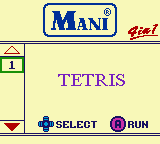
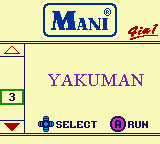
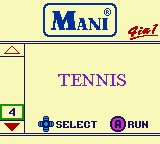
To give a brief background, Nintendo had a small, but growing marketshare in Asia outside of Japan during the Game Boy era nd they decided to release a series of multicarts in China. The series is not very interesting except for Mani 4-in-1 that contains four 'classic' launch Game Boy titles: Tetris, Alleway, Yakuman and Tennis. The latter two games aren't the most exciting choice, but it is understandable why Nintendo selected the titles. Yakuman is a port of the classic Asian game Mah-jong. Tennis isn't great but it can provide a few minutes of ball rallying fun (sorry) on short bus trips.

The menu and the Super Game Boy enhancements are probably the most interesting aspect of the cart is the support for basic Super Game Boy functions (which I briefly wrote about on Twitter: https://twitter.com/nensondubois_/status/1127783157007364096 and here https://twitter.com/nensondubois_/status/1127792706233749509) depicting and matching the originally assigned palettes each game displays. Originally the games included would load a default palette accompanying the theme, area and setting of the game in question. The palette is selected based on the internal filename found within the game's header and then matched against the palette stored hash inside the Super Game Boy / 2 bios.

Instead of actually jumping to the game's bank as they later did with the GB Memory NP flash cartridge and resetting the Super Game Boy bios so it loads directly from memory, the developers took a different direction and instead matched the pre-defined palette as an equivalent Super Game Boy enhanced palette stored in the SNES WRAM. Was it lazier than writing a custom routine to jump to the game as mentioned prior? Possibly, but also not really; there is a technical reason why this method was chosen, but it is also contradictory and unrelated to how bankswitching actually works.

The general gist is using extra chips onboard either a cartridge or hardware interface, usually in the form of RAM and ROM to provide extra functions that native hardware was unable to allow. Tasks could include extra caching, additional sound capacities, better graphics (in older videogame systems including the Famicom and Master System, Turbo Grafx 16) and swapping out RAM and ROM and mapping it to original hardware locations gaining the benefit of better visuals, faster processing, and various other proprietary functions.While it is not technically the same as modern computer graphics cards and DDRAM work, the concept is reasonably comparable. Modern computer interchangeable hardware is rapidly increasingly becoming more complex weekly; the general idea is relatively the same.

Mostly likely the reason is because the developers were using discrete logic MMMC01 instead of the more complex custom flash setup the GB Memory worked with or utilised because it was cheaper and the games were only 32kb and the games didn't use MMCB3,05 battery backup for SRAM, or other special hardware and memory mapping chips, so the menu handles the jump to the game instead because it was easier and cheaper than designing a more robust system. It was probable that the Mani developers had the knowledge to write a custom routine using the Super Game Boy's DATA_SND and JUMP functions that were present in the GB Memory, but it was unnecessary. Still, it is interesting nonetheless. The game select menu even has two sets of palettes; one for loading and a secondary for when the menu fully transitions to its final area on screen. For reference, here is the main menu selection screen and the game's title screen with the default or enhanced Super Game Boy palettes designed to revolve around the game.

Writing the Mani 4-in-1 to a Game Boy flash cartridge like the GB Memory is also possible if you happen to have a flasher (more on building one yourself coming in a later article) device.

[CODE]
PAL_01
Tetris:015F4F0E639F15263100000000000000
Alleyway:01EF65BF7D5F03082100000000000000 Yakuman:01BC66FF3FE07E842C00000000000000 Tennis:016C2BFF7FD91C070000000000000000
[/CODE]


Finally, here is the game select menu using Super Game Boy Palettes. There are no Game Boy Color palettes.


In conclusion, the games play exactly the same as their retail counterparts  and in case you're wondering, Tetris is 1.1 on the Mani 4-in-1 multicart. You question is most likely "Is it worth the money to track down a working cartridge?" Personally, I would since I am a game collector enthusiast of sorts so I managed to find a copy but for way more of a reasonable price. You mileage may vary.